The Power of Style in AI Art Generation
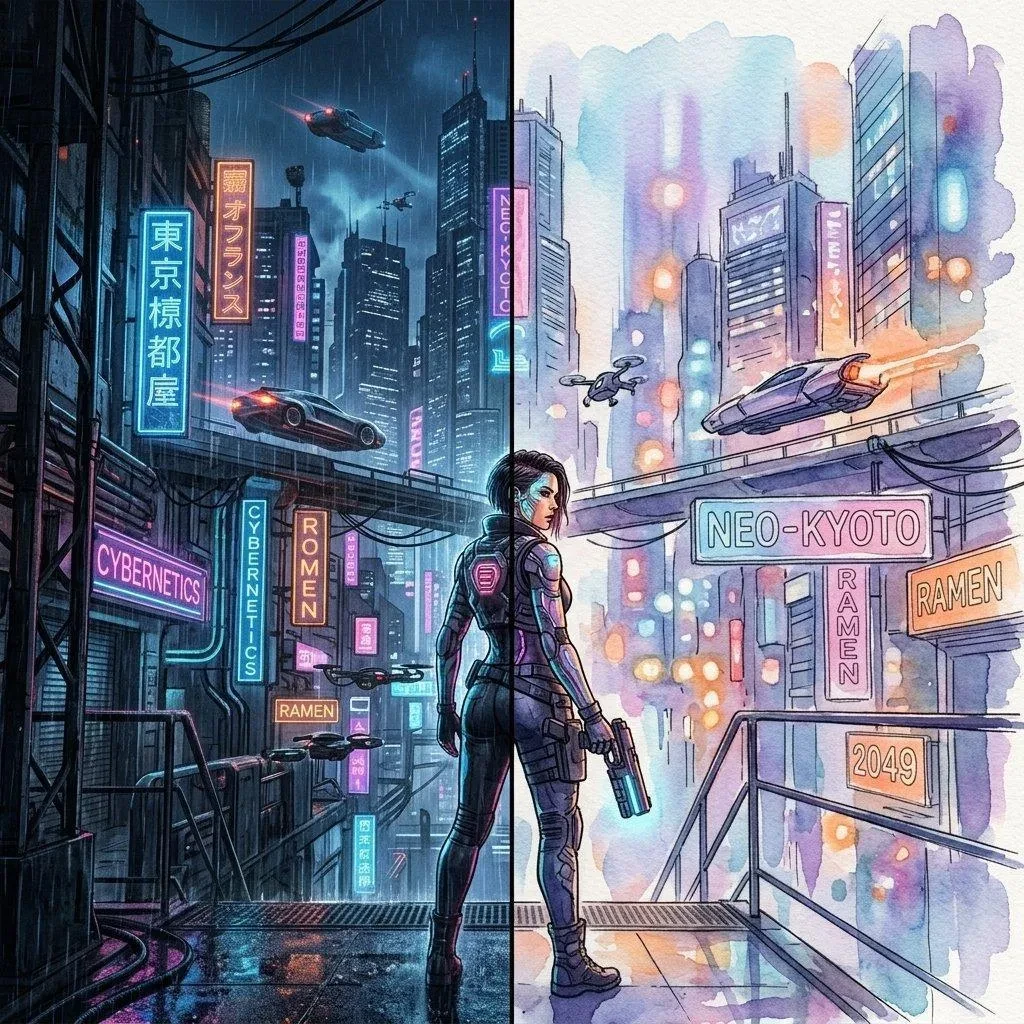
If you've ever wondered why two people can generate Midjourney images from the same base concept and end up with wildly different results, the answer almost always comes down to style. In AI art generation, style is the most powerful creative lever available — it shapes not just how your image looks, but its entire emotional register, technical character, and audience appeal.
PromtStudio has distilled the most powerful and versatile AI art styles into eight carefully curated style presets, each designed to transform any image-to-prompt conversion into something extraordinary. In this guide, we'll explore each style in depth, explain what kinds of images it works best with, and share expert tips for getting the most from each one.
How PromtStudio's Style Presets Work
When you upload an image to PromtStudio and select a style preset, the AI doesn't simply paste a style label onto the end of your prompt. Instead, it intelligently layers a comprehensive set of style-specific descriptors throughout the entire prompt structure. This includes:
- Art movement and technique references specific to the style
- Appropriate lighting and color palette descriptors
- Texture and rendering quality indicators
- Mood and atmosphere language aligned with the style's conventions
- Platform-specific parameter adjustments (aspect ratios, quality flags)
The result is a fully integrated, style-coherent prompt that produces dramatically better results than simply appending "in anime style" to a generic description.
Style 1: Realistic
The Realistic preset is PromtStudio's most technically demanding style — and often the most impressive when executed well. It instructs the AI to produce prompts that prioritize photographic accuracy, natural lighting, true-to-life textures, and the subtle imperfections that distinguish a genuine photograph from a computer-generated image.
Descriptor examples: "ultra-photorealistic, DSLR photography, natural lighting, subsurface scattering, pore-level skin detail, physically accurate materials, 8K resolution, no artistic stylization"
Best for: Portrait photography, architecture, food photography, nature scenes, product visualization
Expert tip: For human subjects, pair the Realistic preset with reference images that already have excellent natural lighting. The AI will detect and amplify the lighting quality in its prompt output.
Style 2: Cinematic
The Cinematic preset draws on the visual language of Hollywood film — dramatic color grading, anamorphic lens characteristics, depth of field, and the carefully controlled lighting that makes every frame feel like a movie still. This is PromtStudio's most popular style preset for good reason: it adds immediate production value and emotional drama to almost any image.
Descriptor examples: "cinematic photography, anamorphic lens flare, film grain, dramatic lighting, shallow depth of field, color graded, widescreen composition, 35mm film aesthetic, golden hour, Blade Runner-esque atmosphere"
Best for: Portraits, urban scenes, action sequences, dramatic landscapes, character studies
Expert tip: The Cinematic preset works exceptionally well with images that have a strong directional light source. Upload images taken during golden hour or in dramatically lit indoor environments for the best results.
Style 3: Anime
The Anime preset taps into the rich visual vocabulary of Japanese animation — a style that has influenced global visual culture more profoundly than almost any other art form of the past century. PromtStudio's Anime preset intelligently balances between different anime sub-styles, from the cel-shaded simplicity of classic anime to the painterly complexity of Studio Ghibli films.
Descriptor examples: "anime illustration, cel-shaded, vibrant colors, expressive eyes, clean linework, Studio Ghibli influence, soft diffused lighting, Japanese animation aesthetic, lush backgrounds"
Best for: Character portraits, fantasy environments, action scenes, emotional narrative scenes
Expert tip: For the most authentic anime results, upload character portraits with clear facial features as your reference image. The AI captures facial expression nuances and translates them effectively into anime descriptors.
Style 4: Digital Art
The Digital Art preset encompasses the broad and versatile world of professional digital illustration — the kind of work you'd see in concept art portfolios, video game art books, and fantasy novel covers. This style balances technical precision with creative freedom, producing prompts that yield polished, professional-quality illustrations.
Descriptor examples: "digital painting, concept art, professional illustration, dynamic lighting, detailed environment, ArtStation trending, Unreal Engine render, photobashed, hyper-detailed, hard surface modeling"
Best for: Concept art, character design, environment design, fantasy and sci-fi scenes, game art
Expert tip: The Digital Art preset responds particularly well to images with strong compositional contrast and interesting environmental contexts. Architectural ruins, futuristic cities, and dramatic natural environments all yield exceptional results.
Style 5: Oil Painting
The Oil Painting preset connects AI art generation to the deepest traditions of Western fine art. It produces prompts that evoke the rich textures, impasto brushwork, and luminous color depth that define the Old Masters. This style is ideal for creating AI art with genuine historical and artistic gravitas.
Descriptor examples: "oil painting on canvas, impasto technique, visible brushstrokes, rich color depth, chiaroscuro lighting, Baroque composition, museum quality, Old Masters technique, Rembrandt lighting"
Best for: Portraits, still life, historical scenes, dramatic landscapes, figurative art
Expert tip: Upload reference images with high tonal contrast and strong directional light for the most striking oil painting-style outputs. The AI particularly excels at translating dramatic shadow/light relationships into Old Masters lighting language.
Style 6: Watercolor
The Watercolor preset captures the delicate transparency, soft edges, and luminous washes that define one of humanity's most beloved traditional art media. Watercolor prompts from PromtStudio are particularly effective for producing AI art with a handcrafted, organic feel that stands apart from the more hyperreal outputs common in AI art.
Descriptor examples: "watercolor illustration, soft washes, wet-on-wet technique, paper texture, bleeding edges, transparent layers, botanical illustration style, delicate linework, limited palette"
Best for: Nature scenes, botanical illustrations, architectural sketches, portraits, children's book illustration
Expert tip: Watercolor works beautifully with soft, naturally lit outdoor scenes. Flowers, landscapes, and architectural subjects with clear silhouettes produce the most authentic watercolor-style results.
Style 7: Sketch
The Sketch preset strips the image down to its essential lines and forms, producing prompts that yield elegant, minimalist drawings with an intellectual and creative energy. Sketch-style AI art has a unique appeal — it feels both immediate and thoughtful, capturing the spontaneous energy of an artist working quickly.
Descriptor examples: "pencil sketch, crosshatching, gestural drawing, charcoal study, fine linework, tonal variation, architectural sketch, figure study, graphite on white paper"
Best for: Portraits, figure studies, architectural drawings, urban sketching, character concepts
Expert tip: For the most compelling sketch results, use reference images with strong, clear contours and interesting structural forms. The AI excels at translating facial bone structure, architectural geometry, and dramatic poses into expressive sketch language.
Style 8: Fantasy
The Fantasy preset is PromtStudio's most imaginative and expansive style option — a creative catalyst that transforms even the most mundane reference image into something otherworldly. It draws on the visual traditions of high fantasy literature, tabletop RPG art, and epic fantasy cinema to produce prompts for breathtaking, immersive AI art.
Descriptor examples: "epic fantasy art, magical atmosphere, ethereal lighting, mystical elements, fantasy world-building, dragons, ancient ruins, glowing runes, dramatic sky, Frank Frazetta influence"
Best for: Landscape transformations, character art, world-building imagery, book cover art, game concept art
Expert tip: The Fantasy preset is particularly powerful when applied to landscape photographs. Even a simple forest photo can be transformed into an enchanted woodland realm, a dragon's lair, or an ancient elven sanctuary. Experiment with atmospheric weather conditions for maximum impact.
Choosing the Right Style for Your Creative Vision
With eight powerful styles at your disposal, the question becomes: how do you choose? Here's a quick decision framework:
- For marketing and commercial work: Realistic or Cinematic
- For entertainment and gaming: Digital Art, Anime, or Fantasy
- For fine art and gallery work: Oil Painting or Watercolor
- For design concepts and quick ideation: Sketch or Digital Art
- For social media content: Cinematic or Anime
And remember: the most interesting results often come from unexpected style choices. Try applying the Fantasy preset to a portrait, or the Sketch preset to a dramatic landscape. Creative surprises are where the real magic happens.
Start Experimenting With AI Art Styles Today
The best way to understand the power of each style preset is to experience it firsthand. Upload the same image across all eight styles and compare the results — you'll gain an intuitive understanding of each style's character within minutes.
Ready to discover which AI art style transforms your images most powerfully? Try PromtStudio free — no account needed. Upload your first image and start exploring all eight style presets today.